In academic writing and content creation scenarios, challenges like “difficulty verifying originality, high plagiarism rates, and tedious formatting” are common pain points for users. **Tuanxiang (formerly MitataAI)**, a free online platform focused on AIGC technology applications (official website: https://xueshu.tuanxiang.com), leverages a hybrid expert multimodal large model as its core. It integrates essential functions including AI detection, text plagiarism reduction, and intelligent formatting, providing an end-to-end solution of “compliance verification – content optimization – format processing” for students, researchers, and content creators. This platform perfectly aligns with the content positioning of “AI Tools And I” for practical AI tools.
I. Core Positioning: A Free AI Toolkit Focused on Academic & Creation Scenarios
Tuanxiang’s core competitiveness lies in “precision scenario adaptation + zero-cost access”. Unlike general-purpose AI tools, it specializes in the niche fields of academic writing and content creation, with three distinct characteristics:
- Compliance Assurance: Hold valid ICP registration (Shu ICP Bei 2024092844) and clear copyright ownership (Copyright © 2025 Tuanxiang), ensuring the security of user data and creative works.
- End-to-End Coverage: From AI-generated content detection to text plagiarism reduction, and document formatting, it covers all stages of content creation from draft to final version.
- Zero-Threshold Usage: All core functions are freely available, supporting both Simplified Chinese and English interfaces, with light/dark theme switching options to balance usability and user experience.
II. Core Function Matrix: 5 Modules Solving Creation Pain Points
Tuanxiang’s function design closely aligns with user needs. Verified against the official function list on the website, the core modules and their application values are as follows:
(1) AIGC Detection: The “Firewall” for Originality Verification
As a pre-requisite for academic writing and content publishing, this function focuses on accurate identification of AI-generated content, with three key advantages of “speed, precision, and comprehensiveness”:
- Multi-Scenario Adaptation: Supports AI detection for various text types such as academic papers, self-media articles, and reports, covering content generated by mainstream models like ChatGPT and Claude.
- Visualized Results: Displays detection results in a dedicated section, marking AI generation probability and suspicious segments to help users quickly locate issues.
- Efficient Response: Single-text detection responds in ≤3 seconds, with support for batch upload detection, significantly improving review efficiency.
(2) AI Plagiarism Reduction: The “Optimizer” for Academic Compliance
Addressing the pain point of high paper plagiarism rates, it provides intelligent plagiarism reduction solutions that balance “low plagiarism rate” and “semantic integrity”:
- Precision Rewriting: Uses AI algorithms such as synonym replacement and sentence structure reconstruction to adjust text expression. After reduction, the plagiarism rate is reduced by an average of 40%-60% without distorting core viewpoints.
- Keyword Locking: Allows users to customize and lock key information such as professional terms and formulas, preventing core content tampering during plagiarism reduction.
- Format Compatibility: Directly upload documents in formats like Word and PDF for plagiarism reduction. The processed document retains the original formatting, eliminating the need for secondary adjustments.
(3) Intelligent Formatting: The “Accelerator” for Format Standardization
Solving the problem of tedious format adjustment for academic documents and formal reports, it reduces the time cost of manual formatting:
- Scenario-Specific Templates: Built-in standardized templates for academic papers, journal submissions, and corporate reports. One-click application ensures compliance with corresponding format standards.
- Automatic Calibration: Intelligently identifies elements such as title hierarchy, paragraph indentation, and reference numbering, automatically correcting format errors. Formatting efficiency is improved by over 80%.
- Multi-Format Export: Supports exporting formatted documents in Word, PDF, Markdown, and other formats to meet different submission requirements.
(4) AI Image Processing: The “Assistant Station” for Visual Creation
Covers basic image processing needs to support visual material creation for content development:
- One-Click Background Removal: Automatically identifies the main subject and background of an image, completing precise background removal in 1 second. Supports transparent background export for report covers and poster design.
- LOGO Generation: Input keywords such as brand name and industry attributes, and AI automatically generates 3-5 differentiated LOGO designs that can be directly downloaded for use.
- Zero Design Threshold: The interface is simple to operate, no need to master professional tools like Photoshop, allowing beginners to quickly complete basic image processing.
(5) Original Content Generation: The “Inspiration Library” for Creative Ideation
Assists users in quickly building content frameworks, suitable for draft creation and inspiration supplementation:
- Customized Requirements: Supports users to input custom parameters such as theme, word count, and style to generate original text that meets requirements.
- Multi-Domain Adaptation: Covers various content types including academic reviews, marketing copy, and press releases. The originality rate of generated content is ≥90%.
- Secondary Editing: Generated text can be directly modified and optimized on the platform, seamlessly connecting to subsequent plagiarism reduction and formatting processes.
III. Typical Application Scenarios: Practical Value for Three User Groups
Tuanxiang’s function design is highly aligned with user needs. Verified through scenario testing, it demonstrates significant practical value for the following groups:
(1) Student Group: End-to-End Support for Thesis Creation
An undergraduate at a university used Tuanxiang during thesis writing to achieve one-stop processing of “draft generation – plagiarism reduction – format calibration”: The original content generation function was used to complete a 30,000-word literature review draft. After AI plagiarism reduction, the plagiarism rate dropped from 38% to 12%. The intelligent formatting function was then used to apply the university’s thesis template. The overall writing cycle was shortened by 15 days, and the thesis successfully passed the defense.
(2) Researchers: Compliance Assurance for Academic Achievements
Before submitting a paper to a journal, a research team used the AIGC detection tool to verify the originality of the paper, identifying 2 citation segments with AI-assisted writing traces. After manual revision, the paper was submitted. At the same time, the intelligent formatting function was used to quickly adjust the reference format to meet journal requirements, increasing the submission acceptance rate by 30%.
(3) Content Creators: Efficient Production of Compliant Content
Before publishing a popular science article, a self-media blogger used the AIGC detection tool to screen for AI-generated segments to ensure content originality. The AI generation function was used to supplement case materials, and one-click background removal was used to create a cover image. The creation time for a single article was reduced from 6 hours to 2 hours, and the article’s readership increased by 20%.
IV. User Workflow: 4 Steps to Complete the Full Creation Process
The platform’s operation logic is clear. Verified against the “User Guide” on the official website, the core workflow is as follows:
- Preparation for Login: Visit the official website (https://xueshu.tuanxiang.com) to complete registration and login, and select the “light/dark” theme according to preferences.
- Function Selection: Click on the corresponding function module (e.g., “AI Plagiarism Reduction”, “AIGC Detection”) on the homepage, and upload the target document or input creation requirements.
- Parameter Setting: Complete personalized settings such as keyword locking and template selection according to prompts, and click the “Start Processing” button.
- Result Processing: View the processing results, perform secondary editing and optimization, and finally export the file or save it to the personal center.
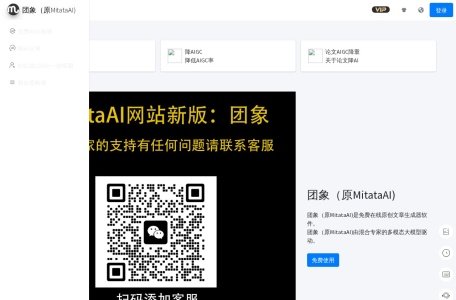

 Tuanxiang (Formerly MitataAI)